Windows
A proper desktop app for live TV, movies and series. Go fullscreen, pop out a mini-player, and organize your own library.
Available on Microsoft StoreGet it from Microsoft StoreExplore TiviTune for Windows TiviTune
Your browser could not save this language preference. The selected page still works; choose the language again on your next visit.
Live TV, movies and series. Your own playlists, beautifully at home on your PC or television. Meet TiviTune for Windows and Android TV.
Windows available now · Android TV in testing · No content included
The preview could not play. You can still explore the app screenshots below.
TiviCove is now TiviTune. The Windows listing and genuine screenshots may still show the previous name.
Two native apps. One idea: make your own TV feel at home. Choose the experience made for your screen.
A proper desktop app for live TV, movies and series. Go fullscreen, pop out a mini-player, and organize your own library.
Available on Microsoft StoreGet it from Microsoft StoreExplore TiviTune for WindowsA big-screen player built around your remote. Browse the guide, save favorites and pick up your next episode from the sofa.
Internal testing · Public release to followMeet TiviTune for Android TVAndroid phones and tablets are planned for later. Today, our focus is Windows and Android TV / Google TV.
Your guide, your favorites, your next episode. A native Android TV experience designed to be used from across the room.
Internal testing · Public release to followMeet TiviTune for Android TVBring your playlists. We’ll give them a home. From the first channel of the day to one more episode, TiviTune keeps the experience personal.
Live TV, movies and series. One searchable library, with categories that keep things wonderfully simple.
Keep favorites close on PC or TV. On Windows, go further with personal collections and Home shelves arranged around what you watch.
Resume supported movies and episodes. Keep a little player open while you find what’s next.
A player for content you are authorized to access. No channels or subscriptions included.
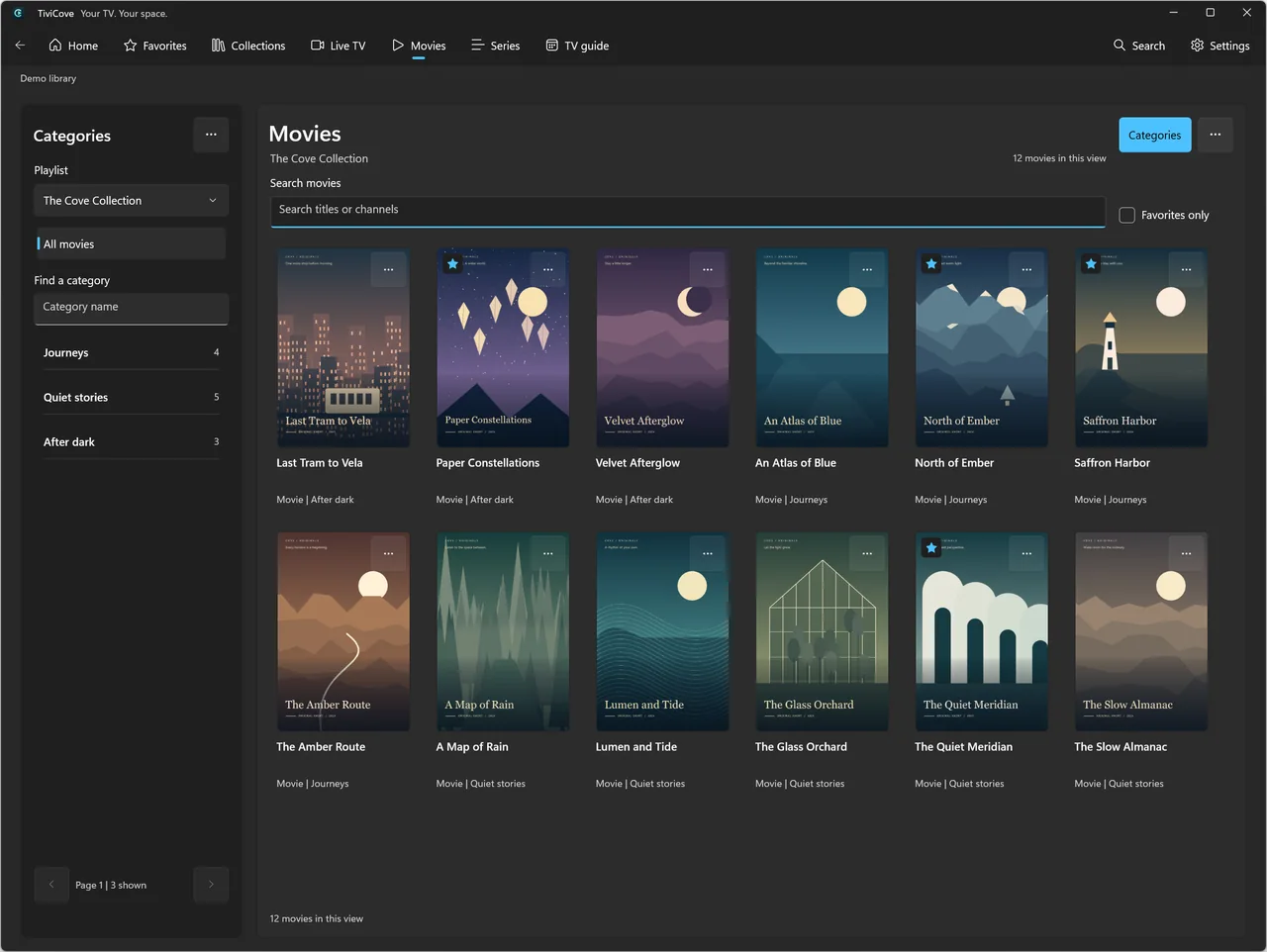
A native interface, a quieter kind of browsing, and your library at the center. These are real TiviTune screens, not a wish list.
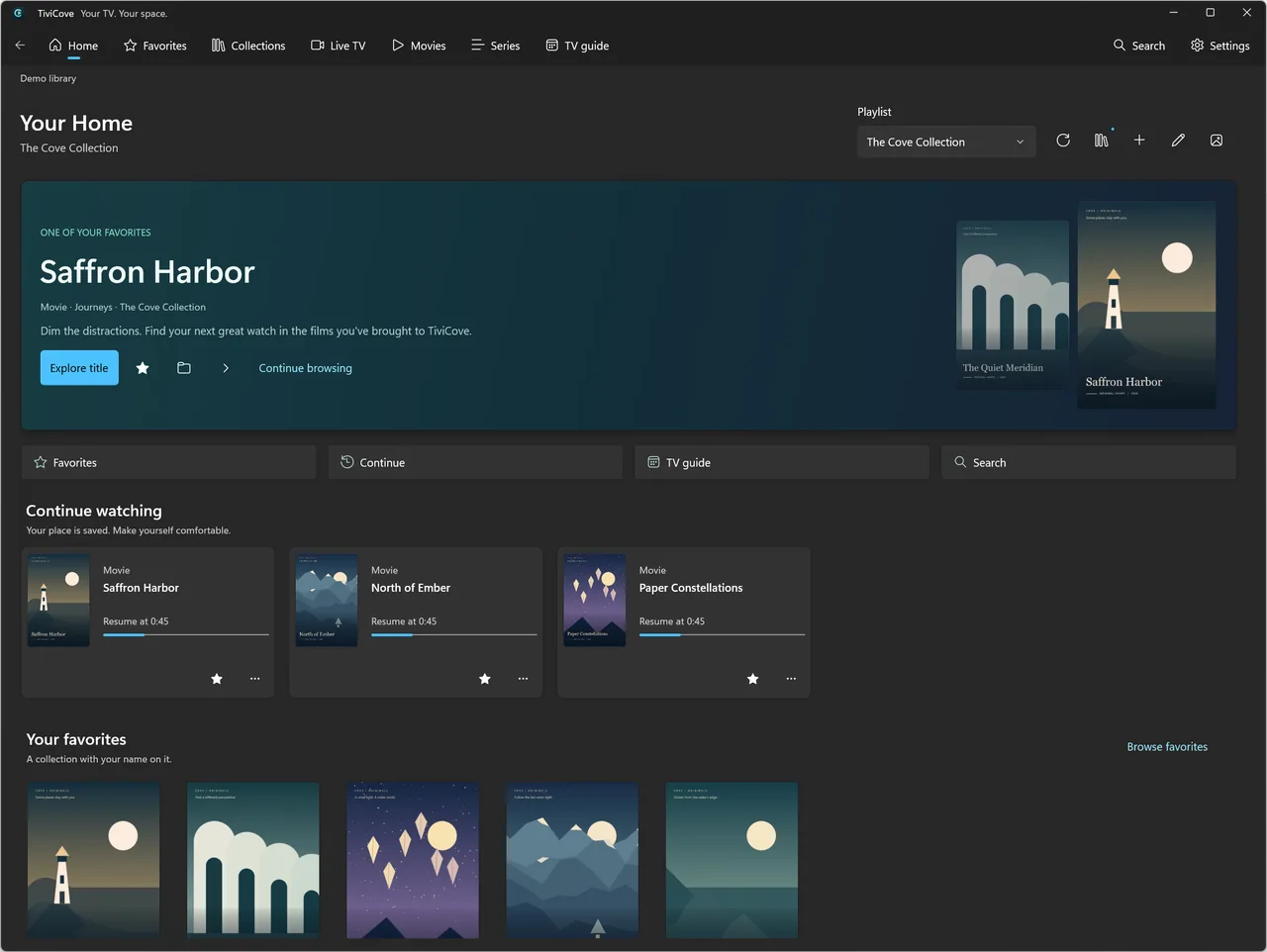
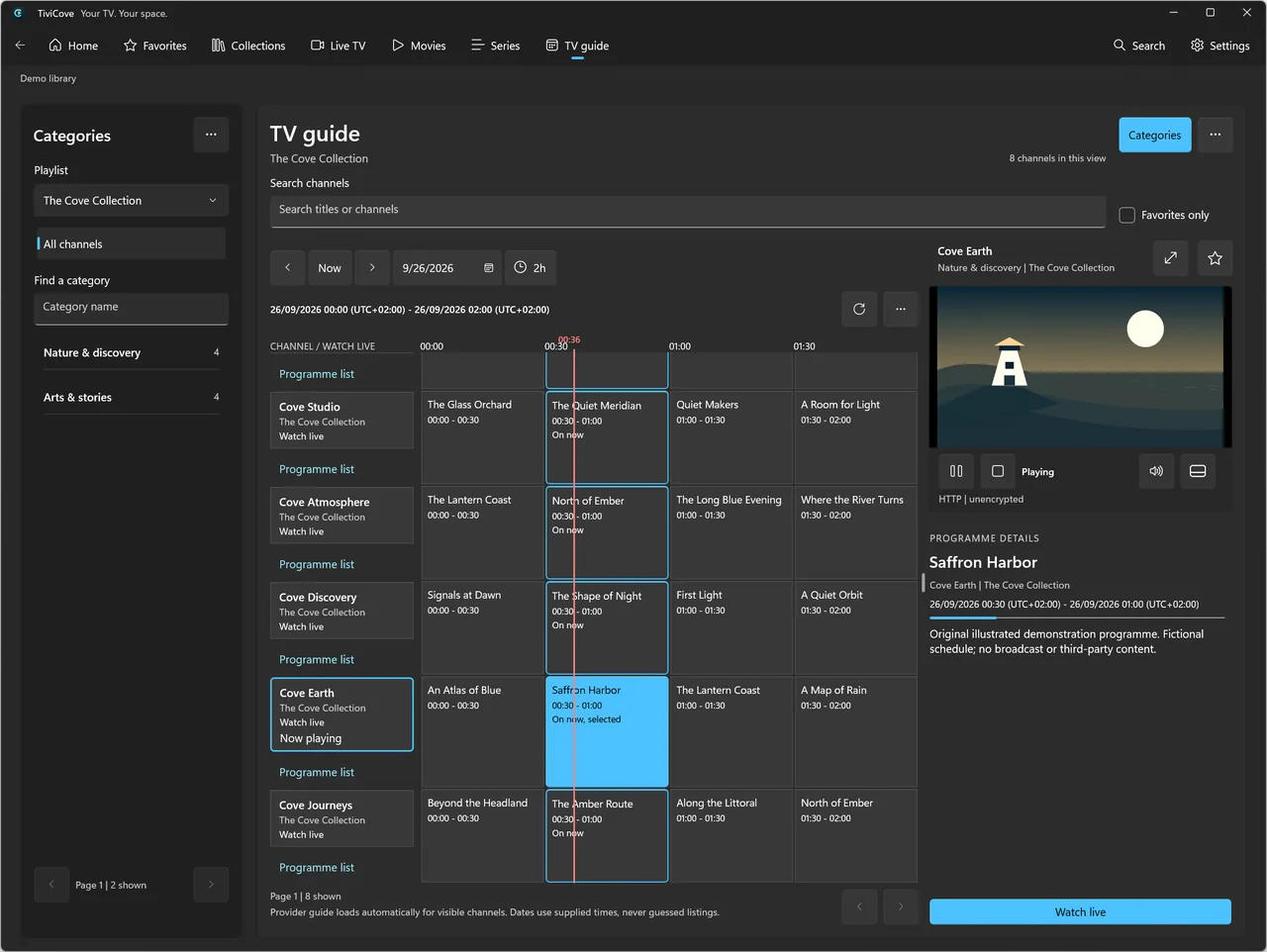
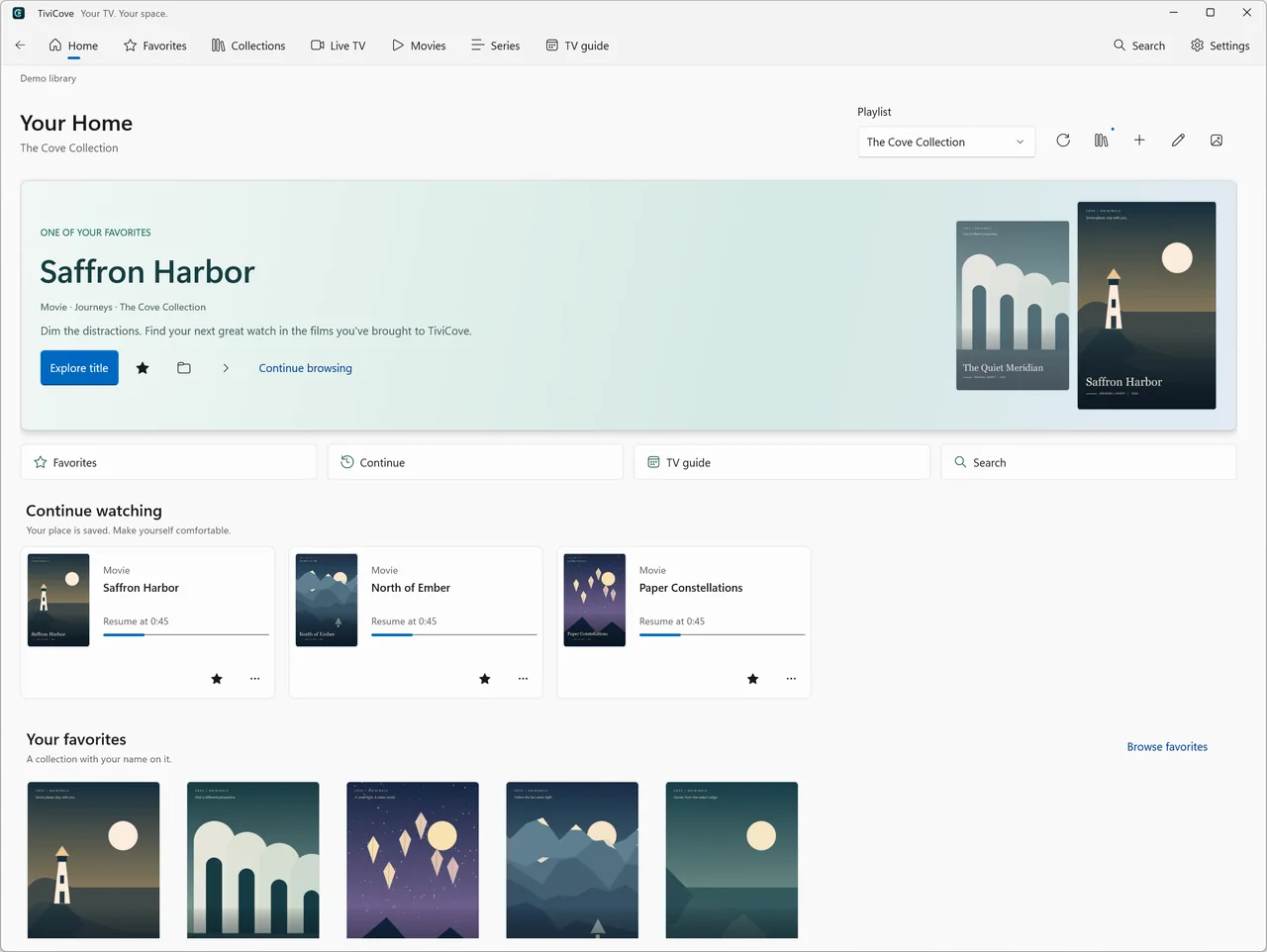
Actual app screenshots in your language. Original fictional demo titles and artwork; no channels or films are supplied. TiviCove is now TiviTune. The Windows listing and genuine screenshots may still show the previous name.
These features describe the Windows app. Android TV has its own feature set: explore its page for what is available today.
Use XMLTV from a file or URL, or your source’s supported programme listings. See now/next, a time grid, programme details and an accessible programme list.
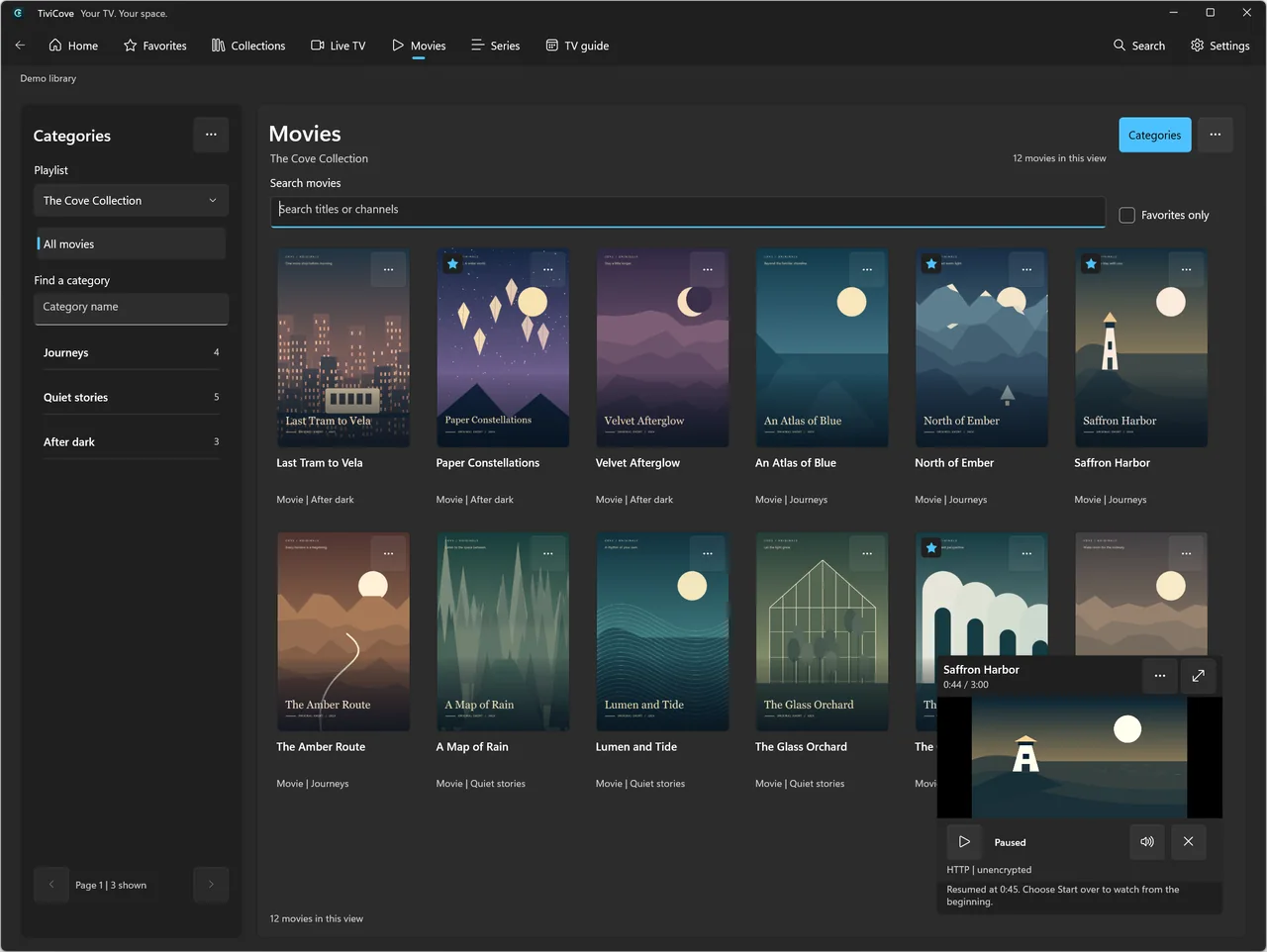
Watch fullscreen, browse with an in-app player in one of four corners, or pop out a resizable, always-on-top desktop mini-player.
Resume seekable movies and episodes, start over or choose your next episode from Home. Playback never automatically starts the next episode.
Keep favorites in a dedicated destination. Create, rename and curate personal collections, and pin up to four collection shelves on Home.
Choose your appearance, use keyboard shortcuts and find preferences with Settings search. Native layouts adapt to wide and narrow windows.
Export and restore a .tvcbackup file, including library and personal state, not video files. Restore replaces rather than merges; keep your password safe.
Your viewing history belongs on your device, not in a marketing dashboard. No TiviTune account. No advertising SDK. No automatic analytics.
Understand your privacyNo TiviTune account to create. Just your Windows PC and a source you’re allowed to watch.
Read the getting-started guideOpen our Microsoft Store listing on your Windows PC and install the app. The Store shows current availability, pricing and device requirements.
Choose Xtream account, Playlist link or Playlist file on the welcome screen. Enter your own source details and review the import result.
Browse Live TV, Movies or Series. Add a favorite, explore your guide and press Play when you’re ready. Artwork is your choice.
English, Spanish, French, German, Brazilian Portuguese, Simplified Chinese, Arabic and Hindi. The app follows Windows language preferences after reopening; Arabic navigation uses RTL.
The native TV app is currently in internal testing, with public Google Play availability to follow. Visit the Android TV page for its current features and contact support to ask about access. No release date is promised.
Not yet. Phone and tablet apps are planned, but the current Android app is TV-only. Windows and Android TV are the current platforms; neither app provides cross-device library or viewing-history sync.
TiviCove is now TiviTune. The Windows Store link stays the same and may still display the earlier name. The renamed Android TV app uses com.tivitune.app and starts with its own fresh library; it does not automatically migrate the older Android installation.
No. TiviTune is a player, not a subscription or content provider. Add your own M3U/M3U8 playlist or Xtream-compatible source and only watch content you are authorized to access.
Windows 10 build 19041 and later, with Windows 11 recommended. The Store packages include x64 and ARM64. Check the Microsoft Store listing for your device’s eligibility; Xbox is not supported.
On Windows, keep an in-app player while browsing, or open a resizable, always-on-top desktop mini-player. Android TV keeps video visible while you browse inside the app, not through system picture-in-picture.
Catch-up and Watch from start work only when your source offers a supported archive. TiviTune does not record television, provide a live timeshift buffer or bypass content restrictions.
Windows supports eight languages and follows your Windows preferences when reopened. This website’s main pages also have eight languages; the platform guides and full legal/help pages are currently in English. Android TV currently ships an English interface. Imported content is not automatically translated.
Check Microsoft Store for current Windows pricing and availability. The Android TV app is designed to be free without feature paywalls and is currently in testing. Any provider subscription is separate; TiviTune supplies no content.

A little less clutter. A little more comfort. Your library, the TiviTune way.
Internal testing · Public release to follow
A player for content you are authorized to access. No channels or subscriptions included.